
Blog
August 28, 2026
Solar System Not Working? A Homeowner’s Guide to Repair & Repowering

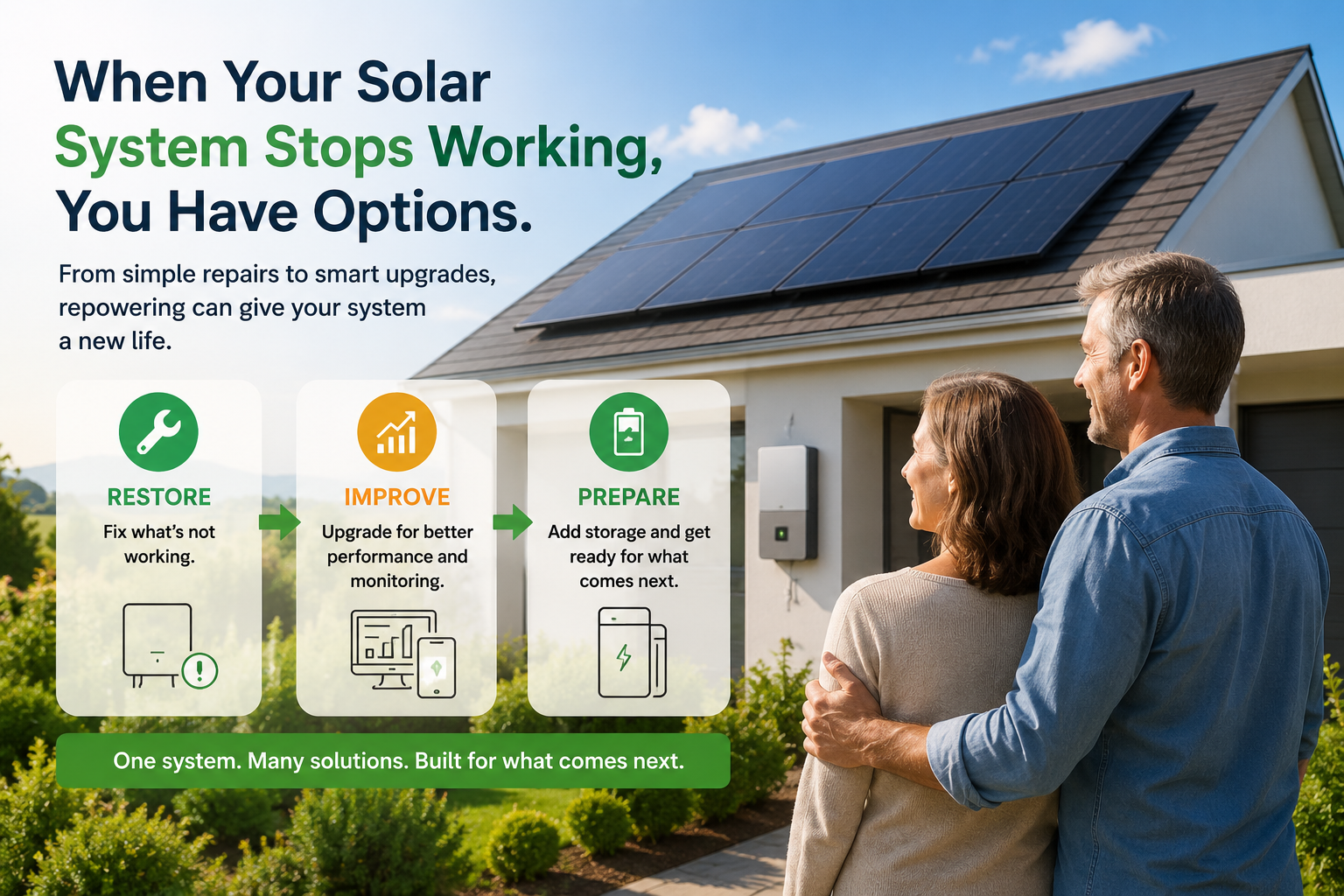


When Your Solar System Stops Working: A Homeowner’s Guide to Repairing, Upgrading and Repowering
A broken inverter, lost monitoring, or declining solar production does not always mean you need a brand-new solar system. Learn what may be wrong, what can often be upgraded, and when repowering may give your existing system a practical next chapter.
Estimated Read Time: 8 minutes
TL;DR: What to Do When Your Solar System Is Not Working
- Do not assume the whole system needs to be replaced. Solar panels can still have useful life even when another component needs attention.
- Start with a professional system evaluation. The goal is to identify what is wrong before deciding what to buy.
- You may not need your original installer. Another qualified solar professional may be able to inspect and service the system.
- Ask what can stay, what needs to change, and whether the replacement can make the system more capable for the future.
- There is a name for this broader approach: solar repowering - updating selected parts of an existing solar system while keeping equipment that still works.
My Solar System Is Not Working. What Do I Do First?
Maybe your electric bill is higher. Maybe the monitoring app stopped showing production. Maybe your inverter has an error message, or part of the array seems to have stopped producing. Whatever the symptom, the first question most homeowners ask is simple: Who fixes solar systems?
The first step is not choosing new equipment. It is understanding what changed. A qualified solar installer or service professional can evaluate the system and determine whether the problem is related to the inverter, monitoring, communications, wiring, the solar modules, or another component.
Before the visit, gather what you have: recent production data, inverter error codes, equipment model numbers, warranty information, and utility bills.
What If My Original Solar Installer Is No Longer in Business?
This is increasingly common with older solar systems, and it does not automatically mean you are stuck. Your solar array is part of your home. Just as you may hire a different electrician, roofer, HVAC technician, or plumber years later, another qualified solar professional may be able to inspect, troubleshoot, repair, or upgrade your system.
Older equipment may be discontinued, replacement parts may be harder to find, and monitoring platforms may no longer be supported. A new installer must also verify that replacement equipment works with the parts of your system that remain.
That is why the first conversation should be about diagnosis, not replacement. Ask three questions: What is wrong? What can stay? What needs to change?
Does a Broken Inverter Mean I Need a New Solar System?
Not necessarily. A home solar system is made up of several components, and they do not all age at the same rate. Your solar panels may still be capable of producing energy even if the inverter, monitoring equipment, communications hardware, or other electronics need attention.
Instead of starting over, an installer may be able to replace or modernize only the part causing the problem. This is where solar repowering comes in.
What Is Solar Repowering?
Solar repowering means updating an existing solar system by repairing, replacing, or upgrading selected components while keeping equipment that is still performing properly.
A repowering project can be focused, such as replacing a failed inverter, or broader, such as updating monitoring, optimization, or preparing the home for battery storage. The right scope depends on the condition of your system and what you want it to do next.
Think Beyond the Repair: Restore, Improve, Prepare
If part of your solar system already needs to be replaced, this is also a good time to think beyond simply getting it back to where it was.
1. Restore What Is Not Working
First, address the actual problem. That may be a failed inverter, lost monitoring, a section of the array that is not producing, damaged equipment, or another issue identified during the inspection. The important part is knowing the cause before deciding on the solution.
2. Improve What You Already Have
Once work is being done, you may have an opportunity to improve the system rather than only restore it. That could include better monitoring, module-level visibility, optimization, or a newer inverter. A good installer should explain why each recommendation makes sense.
3. Prepare for What Comes Next
Your energy needs today may be different from when the system was installed. You may now have an electric vehicle, work from home, want better visibility into energy use, or be considering backup power.
If your inverter needs to be replaced, for example, consider whether the new inverter is storage-ready. You may not want or need a battery today, but choosing a hybrid inverter that can support compatible battery storage later can give you more flexibility as your needs change.
That does not mean adding every available feature. It means making today's replacement decisions with tomorrow in mind.
Should I Repair, Repower, or Replace My Solar System?
A repair may make sense when the problem is isolated. Repowering may make sense when much of the array remains useful but some components, like the inverter, need to be modernized. Full replacement may make more sense with extensive damage, major compatibility issues, roof changes, or a substantially different system design.
Ask your installer to compare what can remain, what should be replaced, warranties, monitoring, compatibility, permitting or utility requirements, battery options, total installed cost, and who will support the system after the work is complete.
Can I Add a Battery to an Older Solar System?
Potentially. An older solar system does not automatically prevent you from adding storage, but compatibility depends on the inverter, electrical design, local requirements, available equipment, and what you want the battery to do.
If your inverter already needs to be replaced, tell the installer if battery storage is something you may want now or later. That allows the replacement decision to account for future storage instead of solving only today's immediate problem.
Why Monitoring Matters When You Upgrade
For many homeowners, the first sign of trouble is something they stop seeing on their phone. Older monitoring systems can lose communication or become unavailable as hardware and online services evolve.
Updated monitoring can give homeowners and service professionals better visibility into system performance. Depending on the equipment, that can extend to individual modules and help narrow down where an issue may be occurring.
Where Tigo Fits When an Older Solar System Needs a New Chapter
An older solar system does not always need the same type of upgrade. Tigo provides technologies across different parts of a residential solar system, giving homeowners options to restore, improve, or expand what they already have.
Tigo TS4 Module-Level Power Electronics
Installed underneath the solar panel, selected Tigo TS4 products can provide capabilities such as optimization and module-level monitoring. Your installer can determine which functions and products are appropriate for your system.
Tigo Energy Intelligence
The Energy Intelligence platform provides system monitoring and visibility, helping homeowners and solar professionals better understand system performance.
Tigo EI Inverter (US)
If your inverter needs to be replaced, consider what you may want the new one to do beyond the basics. The Tigo EI Inverter is a storage-ready hybrid inverter, so it can support compatible Tigo battery storage during the current project or later if your needs change.
Even if you are not ready for a battery today, choosing a storage-ready inverter during a repowering project can give you more flexibility for the future.
Tigo GO Battery (US)
If energy storage is part of your plans, your installer can evaluate whether the Tigo GO Battery and broader Tigo GO Optimized ESS are a fit for your home and system design.
The goal of repowering is not simply to replace old equipment with new equipment. It is to make the right upgrade at the right time: restore what stopped working, improve what you already have, and choose equipment that gives you more options as your energy needs change.
Keep what still makes sense. Upgrade what no longer does. And when you do need to replace something, consider whether that decision can help prepare your home for what comes next.
Questions to Ask Before You Upgrade Your Solar System
- What is causing the problem with my system?
- Which parts of my existing system are still working properly?
- What actually needs to be repaired or replaced?
- Can I keep my existing solar panels?
- Will the new equipment work with my existing system?
- What monitoring will I have afterward?
- Could the system support a battery now or later?
- Will the project require permits or utility approval?
- What warranties apply to the new equipment and installation work?
- Who do I call if the system needs service again?
Your Solar System May Have More Life Left in It
When an inverter stops working, monitoring disappears, or production declines, it is easy to assume your solar investment has reached the end of the road. That may not be the case.
Start by finding out what is actually wrong. If much of the system is still in good condition, repowering may let you keep useful equipment, update what needs attention, and prepare for how your household uses energy today.
You may have started your search asking, 'Who can fix my solar system?' The better question may become, 'How do I make the solar system I already own work for me again - and what do I want it to do next?'
Ready to take the next step? Learn more about Tigo residential solar and energy products, or talk with a qualified solar professional about your existing system and compatible upgrade options.
